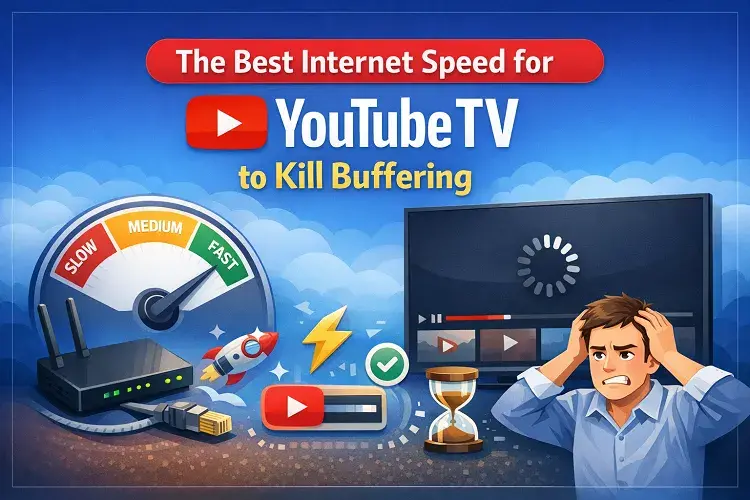
The best internet speed for YouTube TV to kill buffering is 25 Mbps+ for smooth 4K streaming (with the 4K Plus add-on) or 13 Mbps+ for reliable HD, even when other devices are online. For most US households with 2+ people streaming simultaneously (or using phones, laptops, and smart home devices), 100–300 Mbps delivers the best experience with zero lag on live sports, news, or 4K shows. Fiber connections from providers like Google Fiber or Verizon Fios are ideal because they offer consistent speeds, low latency, and no data caps—unlike slower or congested plans that cause rebuffering during peak hours.
If you’re tired of the spinning wheel interrupting your favorite live TV, upgrading to the right speed (and provider) is the single biggest fix. Below is your complete 2026 guide.
Why Internet Speed Matters for YouTube TV (and Why Buffering Happens)?
YouTube TV streams live TV over the internet, so your connection directly affects picture quality, start-up time, and whether you get stuck on that frustrating loading screen. Official YouTube TV guidelines list these minimum sustained download speeds:
- 3 Mbps → Standard definition (SD) only
- 7 Mbps → One HD stream
- 13 Mbps → Reliable HD with other devices online
- 25 Mbps+ → 4K quality (with 4K Plus add-on)
These are bare-minimum figures. Real-world use almost always requires more because:
- Multiple household members stream at once.
- Background devices (phones, tablets, smart TVs, gaming consoles) eat bandwidth.
- Live TV needs steady, low-latency connections—speed spikes and drops cause buffering even on “fast enough” plans.
- Wi-Fi interference or outdated routers can cut effective speed by 50% or more.
Pro tip: Test your current speed at speedtest.net while streaming YouTube TV. If it drops below the numbers above during peak evening hours, you’ve found the culprit.
Recommended Internet Speeds by Household Size
Here’s the practical guide most US households should follow in 2026:
| Household Size / Usage | Recommended Download Speed | Best For | Why This Speed? |
|---|---|---|---|
| 1 person, 1 TV, HD only | 25–50 Mbps | Light streaming | Covers one HD stream + background use |
| 2–3 people, multiple devices, HD/4K | 100–300 Mbps | Typical family | Handles 3–5 simultaneous streams |
| 4+ people or heavy 4K + gaming | 300–1,000 Mbps (Gig) | Power users | Future-proof for 4K+ and smart home |
| Whole-home 4K + unlimited streams | 1 Gbps+ (fiber) | Large households or 4K Plus users | Zero buffering even at max load |
A 100 Mbps plan can comfortably handle 5+ HD streams or 2–3 4K streams at once. Plans at 300 Mbps give you headroom for everything else your home throws at the network.
The Best Internet Providers for YouTube TV in 2026
We evaluated providers based on real-world streaming performance: consistent speeds during peak hours, low latency for live sports, unlimited data (no throttling), customer satisfaction scores, and value. Fiber wins every time because it delivers symmetrical upload/download and rock-solid reliability. Here are the top performers for YouTube TV users:
- Google Fiber (Best Overall for Streaming)
- Speeds: 1–8 Gbps symmetrical
- Why it’s perfect: Ultra-low latency, near-perfect uptime, no data caps. Ideal for 4K live sports and multiple 4K streams.
- Short process: Enter your ZIP on fiber.google.com → Check availability → Choose plan → Schedule professional fiber install (usually 1–2 weeks) → Self-activate with provided equipment. Many plans include a free YouTube TV trial.
- Best for: Households wanting “set it and forget it” performance.
- Verizon Fios (Best Fiber Reliability + Perks)
- Speeds: Up to 2 Gbps+ (symmetrical)
- Why it’s perfect: Excellent for live TV—no congestion, low ping times. Often bundles discounts on streaming services.
- Short process: Visit verizon.com → Enter address → Pick plan → Schedule install or self-install (many areas qualify). Activation is instant once the fiber is connected.
- Best for: Northeast and Mid-Atlantic users who want rock-solid 4K.
- AT&T Fiber (Best for Consistent High Speeds)
- Speeds: Up to 5 Gbps
- Why it’s perfect: Extremely reliable for simultaneous 4K streams and smart-home devices. Unlimited data standard.
- Short process: att.com → Check eligibility by address → Select speed tier → Book pro install (fiber to the home).
- Best for: Southern, Midwestern, and California households.
- Xfinity (Best Cable Alternative – Widest Availability)
- Speeds: Up to 2 Gbps (in most markets)
- Why it’s perfect: Strong performance for HD/4K when fiber isn’t available. Frequent promos and easy self-install.
- Short process: xfinity.com → Enter ZIP → Choose plan → Self-install kit ships or tech visit. Activate via app in minutes.
- Best for: Areas without fiber—still handles multiple YouTube TV streams easily.
- Frontier Fiber (Best Value with YouTube TV Bundle)
- Speeds: 500 Mbps–5 Gbps
- Why it’s perfect: Competitive pricing and an official $10/month discount on YouTube TV for the first 12 months when bundled.
- Short process: frontier.com → Check address → Bundle internet + YouTube TV in one checkout → Pro install included.
- Best for: Budget-conscious streamers who want fiber performance.
How We Choose the Best YouTube TV Internet Providers
We don’t just pick the fastest or cheapest—we use a clear, transparent process:
- Streaming performance testing — Real-world latency and consistency during peak hours (evening live sports).
- Speed reliability — Does the plan deliver advertised speeds 95%+ of the time?
- Data policies — Unlimited data is mandatory for heavy YouTube TV users.
- Customer feedback — Aggregated reviews from BroadbandNow, CNET, and user forums focused on buffering complaints.
- Availability & value — Nationwide or regional coverage plus price-per-Mbps.
- Ease of setup — Self-install options and quick activation.
Fiber providers dominate because cable can slow down during neighborhood congestion—exactly when you’re watching prime-time live TV.
Quick Tips to Eliminate Buffering (Even on Good Speeds)
- Use a wired Ethernet connection for your main TV.
- Upgrade to a Wi-Fi 6 or Wi-Fi 7 router (many fiber plans include one).
- Place your router centrally and away from walls/microwaves.
- Restart your router and modem monthly.
- Close background apps and limit devices during big games.
- Enable YouTube TV’s “Home Network” setting for unlimited in-home streams (with 4K Plus).
FAQ: YouTube TV Internet Speed & Buffering
Q: Can I use YouTube TV on 50 Mbps? Yes—for 1–2 HD streams it works fine. But add more devices or 4K, and you’ll likely see buffering. Upgrade to 100 Mbps+ for peace of mind.
Q: Do I need 1 Gbps for YouTube TV? No—unless you have 4+ people streaming 4K simultaneously or run a smart home with dozens of devices. 300 Mbps is plenty for 99% of households.
Q: Is fiber really worth it over cable? Absolutely for YouTube TV. Fiber gives symmetrical speeds and far lower latency, so live sports and news start faster and stay smoother.
Q: What if fiber isn’t available at my address? Go with the fastest cable plan (Xfinity or Spectrum) or fixed 5G home internet as a strong backup. Always test speeds first.
Q: Does YouTube TV have data caps? No—the service itself doesn’t, but some internet providers do. Choose unlimited-data plans to avoid surprise overage fees from 4K streaming.
Q: How do I test if my current internet is good enough? Run a speed test while streaming YouTube TV in HD. Download should stay above 13 Mbps consistently. If it drops, it’s time for an upgrade.
Q: Can I bundle internet with YouTube TV? Yes! Frontier and some others offer $10/month off YouTube TV for 12 months when you bundle—saving $120 the first year.
Ready to ditch the buffering? Enter your ZIP code on any of the provider sites above and compare plans available at your address. The right speed upgrade is one of the cheapest and most effective ways to make YouTube TV feel like premium cable—without the cable bill.
Updated on: April 29, 2026