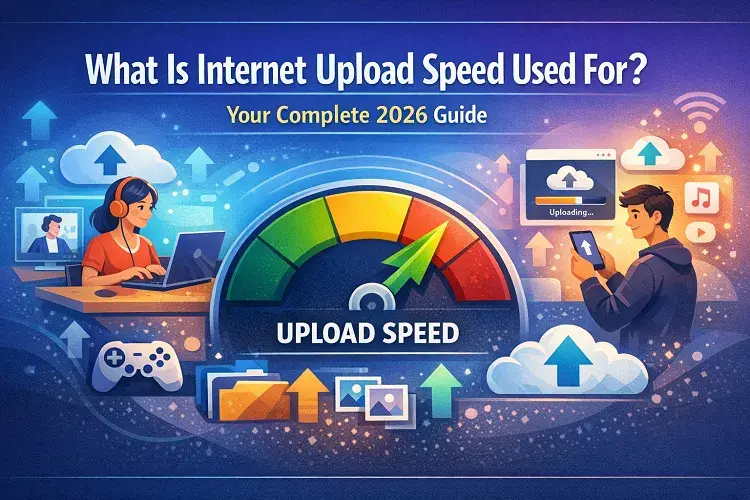
Internet speed dominates conversations about streaming, gaming, and remote work—but most people fixate on download speeds while overlooking upload speed. In 2026, with video calls, cloud backups, live streaming, and smart homes more central to daily life than ever, upload speed directly determines how smoothly you send data outward. Whether uploading 4K videos, sharing large project files, or hosting virtual meetings, understanding upload speed helps you choose the right plan and avoid frustration.
Upload speed measures how quickly your device sends data to the internet, measured in Mbps (megabits per second) or Gbps (gigabits per second). It contrasts with download speed, which handles incoming data like Netflix streams or website loading. Most traditional cable or DSL plans remain asymmetrical—downloads far outpace uploads—while fiber delivers symmetrical speeds where upload matches download. This difference matters enormously for today’s interactive online world.
Why Upload Speed Matters More Than Ever in 2026
Upload speed powers every activity requiring you to push data outward. Slow uploads cause buffering during Zoom calls, failed file transfers, or choppy live streams on Twitch or YouTube. With remote and hybrid work still standard for millions of Americans, plus rising content creation and IoT devices, strong upload performance separates seamless experiences from constant headaches.
Here’s what upload speed powers in real life:
- Video Conferencing and Remote Work — Platforms like Zoom, Microsoft Teams, or Google Meet need stable uploads for HD or 4K video. A single participant in 1080p HD typically requires 3–5 Mbps upload; multiple cameras or screen sharing push that higher. Slow uploads create pixelated video, audio lag, or dropped connections—disastrous during client presentations or family calls.
- Cloud Backup and File Sharing — Services like Google Drive, Dropbox, iCloud, or OneDrive automatically back up photos, videos, and documents. Uploading a 1 GB family video album on 10 Mbps upload takes about 13 minutes; the same file on 1 Gbps symmetrical fiber finishes in seconds. Professionals sharing CAD files, video edits, or large datasets benefit dramatically from faster uploads.
- Content Creation and Social Media — Creators uploading to YouTube, TikTok, Instagram Reels, or podcasts rely on upload speed. A 4K video export can exceed 5 GB; at 35 Mbps (typical cable), it takes over 20 minutes. Symmetrical gigabit fiber cuts that take under a minute. Live streaming in 720p or 1080p demands a consistent 5–10 Mbps minimum.
- Online Gaming — Multiplayer titles like Fortnite, Call of Duty, or Roblox send constant player data. Uploads handle your position, voice chat, and actions. Low upload causes lag spikes or disconnects, especially in competitive play. Many gamers now pair gaming PCs with high-upload fiber for smooth performance.
- Smart Home Devices — Doorbell cameras (Ring, Nest), security systems, and voice assistants continuously upload footage and data. Multiple 4K cameras streaming simultaneously can consume 10–20 Mbps upload. Slow speeds lead to delayed notifications or low-quality recordings.
- Other Everyday Tasks — Email attachments, online forms, virtual reality experiences, and even cryptocurrency transactions all rely on outbound data flow.
Recommended Upload Speeds for Everyday American Households
Use these benchmarks tailored to 2026 usage patterns:
- Basic Usage (1–3 Mbps upload): Email with attachments, occasional social media posts, standard-definition video calls, light browsing. Suitable for single users or seniors.
- Moderate Usage (3–5 Mbps): HD video calls with 1–2 people, regular cloud backups, online gaming, batch photo uploads, remote work with documents.
- Advanced Usage (5–10 Mbps): Multi-person HD conferencing, 720p live streaming, multiple smart cameras, frequent large-file uploads, and content creation side hustles.
- Professional/Heavy Usage (10+ Mbps, ideally 100–1,000+ Mbps): 4K video uploads or streaming, large-scale cloud syncs, home servers, multi-user households with simultaneous heavy uploads, professional editing or streaming careers.
FCC guidelines and real-world testing confirm these ranges deliver reliable performance. Fiber’s symmetrical nature often exceeds cable’s limited uploads.
Symmetrical vs. Asymmetrical Connections: Fiber Wins for Uploads
Most cable plans (Xfinity, Spectrum) remain asymmetrical: you might get 1,000 Mbps download but only 35–250 Mbps upload. This works for passive consumption but bottlenecks active tasks.
Fiber-optic providers deliver true symmetrical speeds—upload equals download—making them ideal for modern needs. In 2026, fiber availability continues expanding across U.S. metros and suburbs.
How Slow Upload Speeds Hurt Productivity and Daily Life
Frustrated uploads waste time and money. A freelancer uploading client videos might lose hours weekly. Remote teams experience meeting fatigue from lag. Smart home owners miss critical security alerts. Gamers face unfair disadvantages. In extreme cases, businesses lose clients due to poor video quality.
Testing consistently shows real-world uploads often fall below advertised rates during peak evening hours, especially on shared cable networks.
How to Test and Improve Your Upload Speed
Run a reliable Internet speed test —use a wired Ethernet connection for accuracy. Test multiple times daily to spot patterns.
Improvement tips that work in 2026:
- Switch to wired Ethernet for maximum stability.
- Schedule large uploads during off-peak times.
- Optimize router placement and consider Wi-Fi 6E/7 mesh systems.
- Update modem/router firmware or upgrade hardware.
- Reduce background devices competing for bandwidth.
- Switch providers if your plan caps uploads below your needs—fiber often transforms experiences.
Top Internet Providers in the USA and Their Upload Speeds in 2026
Fiber leaders dominate high-upload performance with symmetrical plans:
- Google Fiber (GFiber): Symmetrical speeds across plans. Core 3 Gig delivers 3,000 Mbps upload/download for $70/month. Higher tiers reach 5 Gig ($100) or 8 Gig symmetrical in select cities. Perfect for heavy users and creators.
- AT&T Fiber: Fully symmetrical. Plans include 300 Mbps, 500 Mbps, 1 Gig, 2 Gig, and up to 5 Gig (around 4,700–5,000 Mbps) upload. Entry-level 300 Mbps symmetrical often starts around $55/month with no data caps or contracts.
- Verizon Fios: Symmetrical fiber. Starts at 300 Mbps upload/download, scaling to 2 Gig or 2.3 Gbps symmetrical. Strong in Northeast markets with excellent reliability.
Cable alternatives offer solid downloads but lower uploads:
- Xfinity (Comcast): Up to 2,000 Mbps download. Uploads typically 35–100 Mbps on standard gig plans, reaching 200–300 Mbps in enhanced “Next Gen” markets or 2 Gig tiers. Widely available but asymmetrical.
- Spectrum: Up to 2 Gig download in select areas. Standard uploads hover around 35 Mbps, with upgrades pushing toward 100 Mbps+ in multi-gig markets via DOCSIS advancements. Broad coverage, but upload-focused users often prefer fiber.
Availability varies by address—fiber delivers the clearest upload advantage for video, work, and creation.
Choosing the Right Internet Plan for Your Upload Needs
Match your plan to usage. Light households manage with 100–300 Mbps symmetrical. Families or creators need 1 Gig+. Factor price, contracts, data caps (most fiber offers unlimited), and installation.
Always verify actual speeds via independent tests rather than advertised maximums.
Upload speed is no longer an afterthought—it’s essential infrastructure for how Americans work, create, connect, and play in 2026. Slow uploads silently sabotage productivity, while symmetrical fiber unlocks effortless performance.
Ready to stop settling for subpar uploads? Check your current speeds right now, then compare plans from Google Fiber, AT&T Fiber, Verizon Fios, Xfinity, Spectrum, and more providers in your ZIP code. Find the perfect symmetrical or high-upload plan that matches your budget and lifestyle—enter your address today and upgrade to faster, more reliable internet that actually keeps up with your life. Your smoother online experience starts with one quick comparison.
Updated on: March 22, 2026