Quick Guide: How to Return Spectrum Equipment (2026)
-
The UPS Store (Easiest): Bring equipment to any UPS Store. They pack and ship it for FREE. No box needed.
-
Spectrum Store (Fastest Receipt): Drop it off at a local Spectrum store for an immediate printed receipt.
-
FedEx/Mail: Use a Spectrum-provided prepaid return kit.
⚠️ Critical Tip: Always keep your receipt! It is your only proof to avoid $50–$200 unreturned equipment fees.
What to Return vs. What to Keep: Avoid Unnecessary Fines
Not everything that came in your Spectrum box needs to go back. Use this checklist to ensure you only return the high-value leased equipment.
✅ RETURN THESE (Leased Equipment)
-
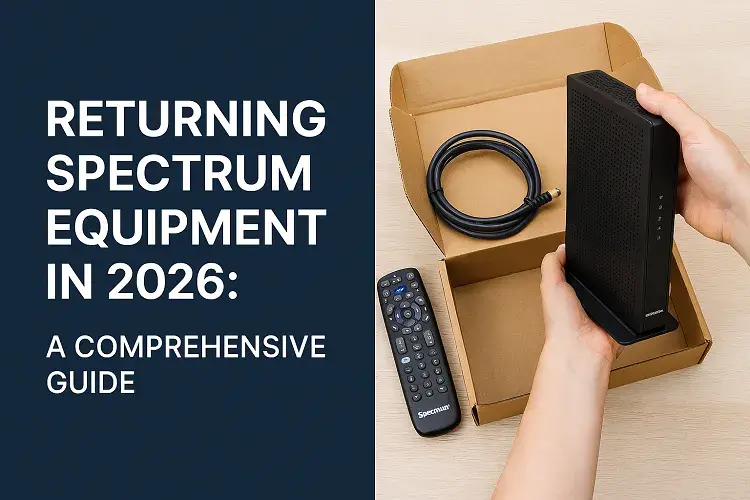
Internet Gear: Modems, WiFi Routers, and integrated Modem-Router combos.
-
TV Equipment: Spectrum Receivers (Cable Boxes) and Xumo Stream Boxes.
-
Power Supplies: The specific power bricks and cords that plug into the wall for each device.
-
WiFi Extenders: Any additional pods or mesh units leased from Spectrum.
❌ KEEP OR DISCARD (Cables & Accessories)
-
Connection Cables: Ethernet cables (yellow/blue), HDMI cables, and Coaxial (screw-on) cables.
-
Remotes: Most Spectrum remotes do not need to be returned (unless specified during cancellation).
-
Splitters: Small metal Coaxial splitters found behind your TV or modem.
⚠️ CRITICAL: DO NOT REMOVE THE SONU (Fiber Unit)
If you have Spectrum Fiber, the small white box mounted to your wall (the SONU or ONT) must STAY AT THE HOUSE. It is part of the property’s permanent infrastructure. Removing this device can result in an automatic fine of $200+ and may disable internet for the next resident.
Returning Spectrum equipment is a straightforward process designed to ensure you avoid any unnecessary fees after canceling or downgrading your services. This guide outlines the steps based on Spectrum’s official policies as of 2026, which emphasize convenience and customer support. Follow these instructions carefully to complete your return efficiently.
Preparation: Before Return Spectrum Equipment
Before initiating a return, take time to inventory your equipment to ensure you’re only returning what’s required. Spectrum’s policy specifies that only leased or rented items must be returned to avoid unreturned equipment charges, which can range from $50 to $200 per item, depending on the device.
- Items to Return:
- Modems and routers (including WiFi routers or modem-router combos).
- Power cords and supplies (the small boxes that plug into wall outlets to power your equipment).
- Any other leased devices, such as multi-AP WiFi extenders (note: these may require a specialized return kit).
- Items That Stay:
- Remotes for TV receivers or set-top boxes.
- Fiber Optic Network Units (SONUs), which must remain plugged in and operational at your premises to support network integrity.
- Cables, splitters, or any non-leased accessories that came with your installation.
Gather all returnable items in one place, unplug them safely, and wipe any personal data if applicable (e.g., reset routers to factory settings). If your equipment is damaged or non-functional, still return it—do not discard it, as Spectrum handles recycling and refurbishing.
Method 1: Returning via The UPS Store
This is one of the most convenient options, especially if you prefer not to handle packaging yourself. Spectrum partners with The UPS Store for free returns, making it ideal for customers without a nearby Spectrum location.
- Locate a participating UPS Store using their online locator at theupsstore.com.
- Bring your equipment to the store and inform the associate that it’s a Spectrum return—they will handle all packaging and shipping at no cost to you.
- No box or label is needed from your end; the store provides everything.
- Receive a receipt immediately, which includes tracking information for your records.
This method is free and typically processes within 5-7 business days once shipped.
Method 2: In-Store Return at a Spectrum Location
For those who want instant confirmation, dropping off at a Spectrum store is recommended. This method provides immediate documentation, reducing the risk of disputes over unreturned items.
- Use Spectrum’s Store Locator tool at spectrum.com/locations to find the nearest store. You can filter by services and even book an appointment online for faster service.
- Bring your equipment to the store during business hours (typically 10 AM to 8 PM, but confirm locally).
- Hand the items to a representative, who will inspect them and provide a detailed receipt on the spot, listing the returned equipment, date, and your account information.
The key benefit is the immediate receipt, which serves as proof and helps prevent any billing errors. Returns are processed quickly, often reflecting on your account within 1-3 business days.
Method 3: Returning via FedEx or Mail
If in-person options aren’t feasible, Spectrum offers mailing options through prepaid labels or kits. This is best for remote areas or when you need equipment picked up (available for customers with disabilities).
- When to Use Return Labels: If you received a prepaid return label with your original equipment or via email after contacting support, affix it to a sturdy box containing your items. Secure the equipment with bubble wrap or padding to prevent damage.
- Home Shipment Return Kit: Contact Spectrum support at spectrum.net/contact-us or by calling 1-833-267-6094 to request a free kit. It includes a cardboard box, prepaid shipping label (often via FedEx or UPS), and protective materials. This is required for certain items like WiFi extenders and is not available for Apple TV or Spectrum Mobile devices.
- Pack the equipment as instructed, apply the label, and drop off at an authorized FedEx location (avoid FedEx drop boxes unless specified on your label) or schedule a pickup if eligible.
- Track your shipment using the label’s tracking number.
Mailed returns are free with the provided label or kit and typically take 7-10 business days to process after receipt.
Home Pickup Options for Seniors and Customers with Disabilities
If you are unable to visit a UPS Store or Spectrum location due to a disability or mobility restriction, Spectrum provides specialized assistance to ensure your equipment is returned safely without you having to leave your home.
How to Request an Equipment Home Pickup:
-
Contact Accessibility Support: Call Spectrum’s dedicated accessibility team or general support at 1-833-267-6094.
-
Request a “Home Shipment Return Kit”: Spectrum can mail you a complete return kit that includes a cardboard box, protective bubble wrap, and a prepaid FedEx or UPS return label.
-
Schedule a Pickup: Once your equipment is boxed, you can request a FedEx Pickup (if the label is FedEx) or an UPS Pickup directly through the carrier’s website or by asking the Spectrum representative to assist in scheduling it.
-
Professional Technician Pickup: In some specific cases involving heavy equipment or complex professional installations, Spectrum may dispatch a technician to retrieve the gear, though this is typically reserved for specialized circumstances.
💡 Accessibility Tip: If you use a TTY or TDD device, you can reach Spectrum’s accessibility services via IP Relay or by dialing 711 to facilitate the return process.
Special Cases
Certain devices have unique return windows and restrictions under Spectrum’s 2026 policies:
- Apple TV Devices: These must be returned within 14 days of purchase for a full refund. Return via The UPS Store in original packaging, with shrink wrap intact and in like-new condition. Devices with removed packaging are ineligible. Contact support if beyond 14 days, as standard equipment return rules apply, but refunds may not.
- Spectrum Mobile Devices: You have a 14-day window from purchase or activation to return or exchange mobile phones, tablets, or accessories for a refund (minus any restocking fees). Returns must be in original condition with all accessories. Use The UPS Store or contact Spectrum Mobile support directly—do not use the Home Shipment Return Kit. After 14 days, warranty exchanges may apply, but no refunds.
For Hawaii customers or those with leased equipment upgrades, refer to location-specific guidelines on spectrum.net.
Warnings
Failing to return equipment promptly can result in ongoing rental fees or one-time unreturned equipment charges added to your final bill. Always return items within 30 days of service cancellation to avoid these. If you receive reminders for already-returned equipment, contact support with your receipt as proof.
Pro-Tip: Always keep your return receipts (from UPS, in-store, or FedEx tracking) for at least 6 months. Scan or photograph them for digital backup—this is your best defense against erroneous fees and ensures a smooth account closure. If issues arise, provide the receipt details when contacting Spectrum support for quick resolution.
Call on (844) 817- 0136 to book a new connection now!
Updated on: March 21, 2026