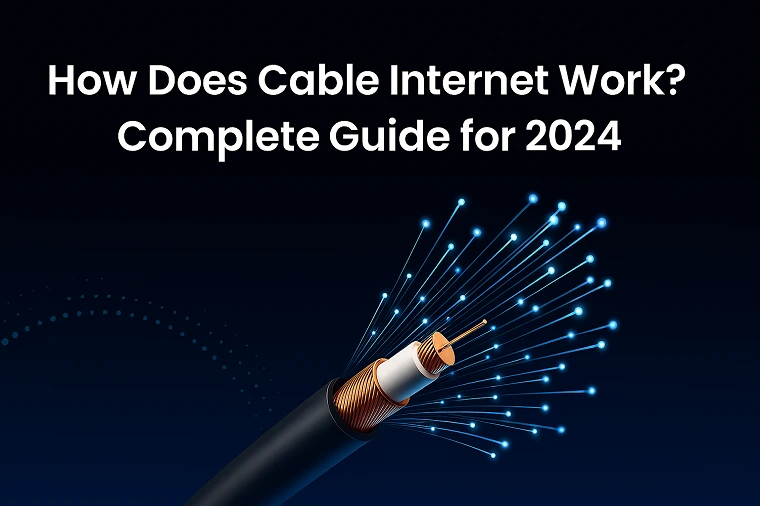
Cable internet works by transmitting digital data as radio frequency (RF) signals through the same underground coaxial copper cables used for traditional cable television. A Cable Modem Termination System (CMTS) at your provider’s local hub manages the data flow, while a cable modem inside your home translates these RF signals back into a standard internet connection for your Wi-Fi router. Today, cable internet can easily deliver download speeds exceeding 1,000 Mbps (1 Gigabit).
If you are shopping for a new internet plan, you have likely noticed that “Cable Internet” is the most widely available high-speed option in the United States. Providers like Xfinity, Spectrum, and Cox have spent decades laying millions of miles of coaxial cable to deliver television to American homes, and that exact same infrastructure now powers the internet for the vast majority of the country.
But is cable internet still worth it in 2026 compared to fiber-optics or 5G? In this comprehensive guide, the telecom experts at Compare Internet Hub will explain exactly how cable internet functions, what equipment you need to avoid rental fees, and how to find the best cable deals in your specific ZIP code.
The Technology: How Data Travels Through Copper
Unlike fiber-optic internet (which uses light) or 5G (which uses cellular towers), cable internet operates on a Hybrid Fiber-Coaxial (HFC) network.
Here is a simplified breakdown of the journey your data takes when you load a webpage:
- The Fiber Backbone: Your internet service provider (ISP) connects to the global internet using massive, ultra-fast fiber-optic lines. These lines run to a local neighborhood “node” or distribution hub.
- The Coaxial Last Mile: At the local node, the light signals from the fiber-optic cables are converted into radio frequency (RF) electrical signals. These RF signals are then pushed through the heavy black copper coaxial cables running under your street or on telephone poles.
- The Modem Translation: The coaxial cable plugs directly into the back of your cable modem inside your house. The modem’s job is to demodulate the RF signals back into digital data (the 1s and 0s that your computer understands).
- The Wi-Fi Router: Finally, your modem passes the data to your router via an Ethernet cable, which then broadcasts it wirelessly to your smartphones, laptops, and smart TVs.
Cable Internet vs. Fiber Internet: What’s the Difference?
When comparing internet plans, the biggest decision most homeowners face is choosing between Cable and Fiber.
Cable Internet
- Availability: Extremely high. If you can get cable TV, you can usually get cable internet.
- Download Speeds: Excellent (typically 300 Mbps to 1,200 Mbps).
- Upload Speeds: Average (typically 10 Mbps to 50 Mbps).
The Catch: Cable internet utilizes “shared bandwidth.” You share the local node with your neighbors. If everyone on your street is downloading massive video game updates at 7:00 PM, your speeds may temporarily slow down.
Fiber-Optic Internet (e.g., AT&T Fiber, Frontier)
- Availability: Growing, but still limited primarily to newer subdivisions and major metropolitan areas.
- Download Speeds: Exceptional (up to 5,000 Mbps).
- Upload Speeds: Exceptional (Symmetrical to download speeds, up to 5,000 Mbps).
The Catch: Because it requires digging up streets to lay new glass-fiber lines, it may not be available at your specific address for several years.
Essential Equipment: Modems vs. Gateways
To get cable internet working in your home, you need specific hardware. Most ISPs (like Spectrum or Xfinity) will try to rent this equipment to you for $14 to $20 per month.
- DOCSIS 3.1 Modem: DOCSIS (Data Over Cable Service Interface Specification) is the international standard for cable internet. If you buy your own modem to avoid rental fees, ensure it is DOCSIS 3.1 certified to handle gigabit speeds. (Note: The industry is currently rolling out DOCSIS 4.0, which will eventually allow for symmetrical upload speeds on cable networks).
- Wi-Fi Router: The router distributes the internet from the modem to your devices.
- The Gateway: Many ISPs now provide a “Gateway,” which is simply a modem and a router combined into a single, tall plastic tower.
Find the Best Cable Internet Providers Near You
Because cable infrastructure requires physical wires, the “best” provider entirely depends on which company holds the franchise agreement for your specific neighborhood. You cannot choose Xfinity if only Spectrum lines are buried in your yard.
We track local cable monopolies and competitive zones across the country. Check out our hyper-local city guides to see which cable companies operate in your area:
- Los Angeles Internet Providers
- Chicago Internet Providers
- Houston Internet Providers
- Dallas Internet Providers
FAQ: Cable Internet
Do I need an active Cable TV subscription to get Cable Internet?
No, you do not need to pay for a cable television package to get cable internet. Providers like Xfinity and Spectrum offer “standalone” or “internet-only” plans. The technician will simply activate the coaxial line running to your home for data transmission while leaving the television frequencies blocked.
Why is my cable internet upload speed so slow compared to my download speed?
Cable internet is inherently “asymmetrical” because the coaxial spectrum is divided to dedicate far more physical space to downloading data than uploading data. Historically, consumers downloaded far more data (streaming Netflix, loading websites) than they uploaded. However, with the rise of Zoom and remote work, ISPs are currently upgrading to DOCSIS 4.0 to fix this imbalance.
Is 300 Mbps cable internet fast enough for a family?
Yes, a 300 Mbps cable internet connection is generally fast enough for a family of four. It provides enough bandwidth for four people to stream 4K video simultaneously on different TVs while still leaving room for casual web browsing and social media scrolling on smartphones.
Stop Overpaying for Your Cable Internet
Are you tired of your cable company raising your rates every year because they know they are the only provider in town? The broadband landscape is changing, and new 5G and Fiber competitors are activating neighborhoods daily.
Want to know if a cheaper, faster internet provider has moved into your neighborhood? Call the broadband experts at Compare Internet Hub today at (844) 817-0136. We will instantly run a free, unbiased zip code check to verify availability and help you lock in a better promotional rate for your home
Updated on: September 13, 2026