In today’s hyper-connected world, a fast and reliable internet connection is no longer a luxury—it’s essential. Whether you’re streaming your favorite shows, working from home, or gaming online, a stable internet service can make or break your day. Cable internet has long been a popular choice for millions, offering a balance of speed, affordability, and availability. But have you ever wondered exactly how cable internet delivers those blazing-fast downloads and smooth video calls right to your doorstep?
This blog takes you behind the scenes to explain how cable internet works, what equipment you need, how it compares with other internet types, and what the future holds. By the end, you’ll better understand whether cable internet is the right choice for your digital lifestyle in 2025—and how to get the most out of it.
What Is Cable Internet?
Cable internet is a high-speed broadband connection that delivers internet data over the coaxial cables traditionally used to broadcast cable television signals. It has become a popular choice for millions of households and businesses, thanks to its fast speeds, wide availability, and reliable performance. In 2025, cable internet remains a dominant technology, especially in urban and suburban areas, offering a balanced mix of affordability and speed.
How Cable Internet Works
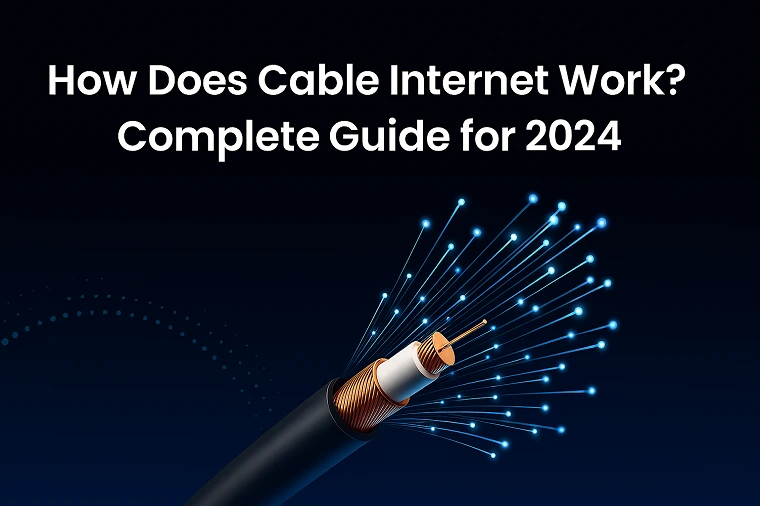
Cable internet works by transmitting data through the same coaxial cables that deliver cable TV signals. The process involves several key components and steps:
1. Signal Transmission
Cable internet service providers (ISPs) use a network of fiber-optic cables and coaxial cables to distribute internet signals from central hubs to local neighborhoods. In the last mile, coaxial cables carry the signals directly to homes and businesses.
2. Local Node Conversion
At a neighborhood node (sometimes called a distribution point), the fiber-optic backbone converts the signals from fiber into radio-frequency signals that travel along the coaxial cable. This conversion enables broadband delivery directly to residences.
3. Modulation and Demodulation
The modulated signals are received by a modem installed at your location, which demodulates the signals into digital data your devices can interpret. The modem also encodes outgoing data signals when sending data upstream.
4. Data Transmission to Devices
Once demodulated, the data is sent to your devices via Ethernet cables or Wi-Fi, enabling activities like streaming, browsing, gaming, and video calling.
Cable Internet Equipment
To understand how cable internet works thoroughly, knowing the equipment involved is essential:
Modem
The modem is the core device that connects your home to the ISP’s network. It receives RF signals from the coaxial cable and converts them into digital data usable by your devices.
Router
A router connects multiple devices via Wi-Fi or Ethernet and manages data traffic within your home. Many users opt for a separate router for better coverage and performance.
Gateway (Modem/Router Combo)
Some ISPs provide all-in-one gateways that combine modem and router functions. These simplify setup but may limit customization and upgrade options.
Coaxial Cables
These sturdy cables transmit data from the ISP’s network to your modem. They are shielded to prevent interference and support high frequencies needed for broadband internet.
Ethernet Cables
Ethernet cables connect routers to devices or modems, providing a wired connection that is faster and more stable than Wi-Fi.
Understanding Cable Internet Speeds
Speed is a vital metric for evaluating cable internet performance. In 2025, typical cable internet speeds range from 100 Mbps to 1 Gbps for most households.
Download vs. Upload Speeds
-
Download Speed: Measures how fast data is received. Critical for streaming, browsing, and downloading files.
-
Upload Speed: Measures how fast data is sent. Important for video conferencing, cloud backups, and online gaming.
In most cable plans, download speeds surpass upload speeds significantly—though fiber options are changing this trend with symmetric speeds. For example, a typical plan might offer 500 Mbps download and 20 Mbps upload, suitable for most users.
Cable Internet vs. Other Internet Types
Cable vs. DSL
-
Cable: Faster speeds, more reliable, widely available.
-
DSL: Uses telephone lines, generally slower, less reliable, limited bandwidth.
Cable vs. Fiber
-
Fiber: Symmetrical high speeds up to 10 Gbps, lower latency, future-proof.
-
Cable: High speeds but typically asymmetrical; more widely available in existing infrastructure.
Cable vs. Satellite
-
Satellite: Available virtually everywhere, but affected by weather and high latency.
-
Cable: Faster, more stable, less latency.
Cable vs. 5G Home Internet
-
5G: Widespread in urban areas, flexible, portable, but can be affected by interference.
-
Cable: More stable, higher sustained speeds, particularly in rural or suburban settings.
Advantages of Cable Internet
-
High Speed: Fast download speeds suitable for streaming, gaming, and multiple users.
-
Wide Availability: Extensive network reach in urban, suburban, and some rural areas.
-
Reliability: Stable connection with minimal downtime when properly maintained.
-
Price-Performance Ratio: Competitive pricing for the speed offered.
Limitations of Cable Internet
-
Shared Bandwidth: In neighborhoods, bandwidth is often shared among multiple users, potentially causing slowdowns during peak hours.
-
Latency: Higher than fiber, impacting real-time applications like gaming or video conferencing.
-
Infrastructure Limitations: Less effective in very rural or remote areas.
-
Potential Data Caps: Some plans enforce data limits, especially in budget packages.
The Future of Cable Internet in 2025
Cable providers are investing heavily in DOCSIS 4.0 technology, which increases speeds, reduces latency, and improves network efficiency. Many US providers now offer gigabit plans with symmetrical upload/download speeds, and integration with 5G and fiber networks promises even better connectivity.
Furthermore, cable companies are rolling out smarter network management and AI-driven traffic prioritization to optimize speeds and reduce congestion. The ongoing upgrade aims to make cable internet future-proof for IoT, smart homes, and work-from-home demands.
Find Cable Internet Providers in My Area!
To find the best cable internet providers available in your location, use tools like ISP locator websites, or contact local providers directly. Popular providers include Comcast Xfinity, Spectrum, Cox, and RCN in many regions across the US and beyond.
Conclusion
Cable internet remains a cornerstone of home and business connectivity in 2025, combining high speeds, reliability, and broad coverage. Whether you’re streaming 4K videos, working remotely, or gaming online, understanding how cable internet works and choosing the right equipment and plan can significantly enhance your online experience. As technology advances, cable providers are poised to deliver even faster, more efficient, and smarter internet solutions to keep pace with the digital demands of the future.
Updated on: November 28, 2025