Direct Answer / Consumer Advocacy Summary:
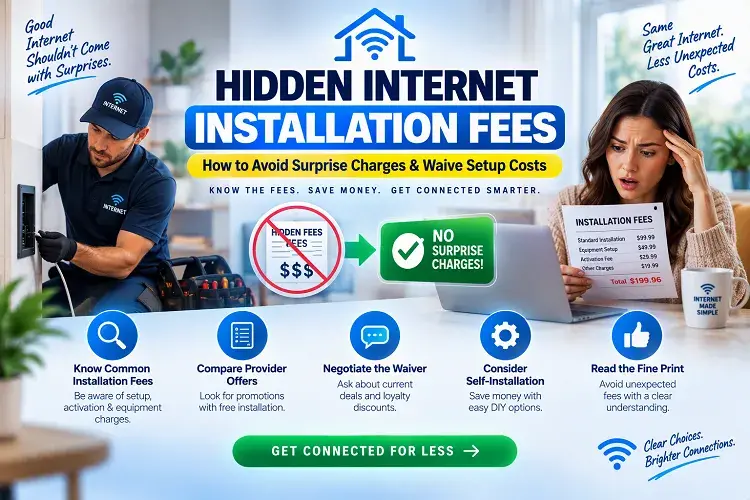
Internet Service Providers (ISPs) frequently inflate first-month bills with hidden setup fees ranging from $15 to over $150. The most costly traps include $99 to $100 “Failed Self-Install” truck-roll penalties, $50 to $125 new wall jack charges, $30 to $75 ungrounded wire surcharges, and $10 to $35 digital activation fees. To avoid these fees, audit your home’s existing coax outlets or Optical Network Terminal (ONT) before ordering, select online-exclusive self-install promotions, and use customer retention scripts to negotiate full fee credits.
You find an attractive internet plan advertised for $49.99 per month. You enter your payment details, set up your account, and eagerly wait for your connection to go live.
Then your first billing statement arrives—and instead of $50, you are hit with a balance of $165.00 or more.
When you inspect the line-item breakdown, you discover that the advertised monthly rate is buried beneath an avalanche of one-time setup charges, “professional dispatch fees,” and account enablement penalties.
Internet service providers rely on the fact that most consumers do not read the fine print during checkout. In this guide, we expose the most common hidden internet installation traps, provide a pre-installation checklist to ensure your self-install succeeds, and provide proven phone negotiation scripts to get setup fees completely wiped from your bill.
The Hidden Installation Fee Matrix: Provider-by-Provider Breakdown
Before signing a contract, look up what top national carriers charge for basic setup, self-install kits, and technician visits:
| Internet Provider | Professional Installation Fee (verify by address) | “Failed Self-Install” Truck-Roll Fee | Self-Install Kit Fee | One-Time Activation Fee | How to Get It Waived (Insider Workaround) |
|---|---|---|---|---|---|
| AT&T Fiber | $99.00 | $99.00 | $0.00 | $0.00 – $35.00 | 100% Waived automatically when ordering online on 300M+ plans. |
| Spectrum Internet | $65.00 | $65.00 | $30.00 (activation) | $0.00 | Select self-install; call phone support to request a promotional setup credit. |
| Xfinity (Comcast) | $100.00 | $100.00 | $15.00 (shipping) | $0.00 | Pick up the self-install kit in an Xfinity store for $0; waived on select contract plans. |
| Verizon Fios | $99.00 | $99.00 | $0.00 | $0.00 | $99 fee waived on Gigabit plans or when ordering online. |
| Cox Communications | $100.00 | $100.00 | $50.00 (EasyConnect) | $0.00 | Pick up DIY gear at a Cox store; pro fees often waived during seasonal promotions. |
| Frontier Fiber | $85.00 – $100.00 | $85.00 | $0.00 | $0.00 | Waived on 500 Mbps and 1 Gig plans ordered online. |
| T-Mobile 5G Home | $0.00 (Plug & Play) | N/A | $0.00 | $35.00 (Device Connection) | Ask customer service to waive the $35 device fee before completing registration. |
Note: Installation and activation fees vary by location, plan, and order type. Confirm the exact charges during checkout and review the provider’s Broadband Facts label and applicable offer terms.
Last verified: 11-Nov-2026
TIP
Compare Providers with $0 Setup Fees in Your ZIP Code:
Tired of surprise installation fees? Enter your ZIP code on Compare Internet Hub to filter local providers offering free professional installation and complimentary self-install kits.
Prefer to skip the tech fees over the phone? Speak with an authorized Compare Internet Hub advisor at (844) 817-0136 to find exclusive new-customer promotions that waive professional installation charges instantly.
How to Avoid Unexpected Internet Installation Charges
You don’t have to accept every installation or setup fee without checking your options. Before ordering internet service, take a few steps to avoid unexpected charges on your first bill.
- Ask about free installation promotions: Contact the provider and ask whether any new-customer or online-order promotions waive professional installation or activation fees.
- Check self-installation eligibility: If your home already has compatible wiring and equipment, you may be able to install the service yourself and avoid a professional installation charge. Confirm whether a self-install kit or shipping fee applies.
- Confirm existing wiring can be reused: Ask whether your current coaxial outlet, fiber connection, or other wiring is compatible with the new service. This may help you avoid additional wiring or outlet installation costs.
- Get additional work approved first: If a technician recommends new wiring, wall outlets, or other installation work, request a written cost estimate before approving it.
- Review your first bill: Check for installation, activation, equipment, and technician visit charges. If you see a fee you weren’t told about during signup, contact the provider and ask for an explanation or a possible adjustment.
Tip: Before completing your order, ask the provider to confirm all one-time charges and recurring monthly fees. Getting the total cost in writing can help prevent surprises on your first bill.
Deconstructing the Fine-Print Traps: The 5 Hidden Charges to Watch For
1. The $99 “Failed Self-Install” Truck-Roll Penalty
This is the single most common hidden fee trap in the broadband industry.
To save money, you order a self-installation kit (free or $15). You connect your modem to a coaxial wall jack, but the modem’s online light blinks indefinitely. When you call tech support, the agent says: “We will send a technician out to help you finish setup.”
What the agent rarely discloses is that dispatching that technician is classified in their billing system as a “Failed Self-Install Truck Roll.”
- In the next billing cycle, a surprise $99 to $100 charge appears on your statement.
- The Injustice: Sometimes a failed self-install is caused by an inactive exterior connection, disconnected street line, or wiring issue outside the home. Depending on the provider’s policies, a technician visit may result in an additional service charge. Ask customer support whether the visit is covered before scheduling it.
2. New Wall Jack & Outlet Relocation Fees ($50 to $125)
Standard professional installation terms state that the technician will connect one primary outlet located near the point where the utility wire enters your home.
- If you want your Wi-Fi router placed in a central living room or upstairs home office where there is no existing wall jack, the technician must run a new line.
- Carriers charge between $50 and $125 per additional wall plate. If you need two outlets activated, that can add $200 to your initial bill.
3. Ungrounded Wire & Electrical Ground Bonding Surcharges ($30 to $75)
National Electrical Code (NEC Article 820) requires that all incoming coaxial cables be bonded to your home’s main electrical service ground near the meter base or intersystem bonding termination (IBT).
- If an older home lacks a proper grounding block or the previous ground wire was severed during landscaping or painting, technicians will charge an unexpected $30 to $75 “Grounding Surcharge” or “Line Conditioning Fee.”
- Some technicians will even refuse to complete a self-install or service turn-up unless you agree to an expensive custom grounding line run.
- The Defense: Grounding the exterior drop wire is part of the ISP’s utility point-of-entry compliance obligation. If this is billed, request it be credited under standard utility demarcation maintenance.
4. Custom Wiring & Wall-Fishing Hourly Rates ($60 to $100/hr)
Technicians sent by cable and fiber companies are scheduled for 45-to-60-minute appointment windows. Their job is standard “tack-and-staple” wiring (running a line along exterior siding or baseboards).
- If your home requires running wires through finished drywall, attics, drop ceilings, or masonry/brick exteriors, the job is reclassified as “Custom Wiring.”
- Custom labor is billed at an hourly rate of $60 to $100 per hour, often requiring a specialized contractor.
5. Digital “Activation” & “Account Enablement” Fees ($10 to $35)
Even when a customer handles 100% of the physical installation themselves, companies like Spectrum, T-Mobile, and Optimum often append an “Activation Fee” or “Device Connection Charge” of $10 to $35.
- This fee covers zero physical labor and zero hardware; it is purely an administrative fee for registering your modem’s MAC address in their provisioning database.
Pre-Installation Checklist: How to Ensure 100% Self-Install Success
You can avoid a $99 technician truck roll by performing a 10-minute audit of your home’s existing wiring before plugging in your equipment.
For Cable Internet (Spectrum, Xfinity, Cox)
- Locate the Central Demarcation Box: Walk around the exterior of your home and find the plastic utility box (the “demarc” or NID). Ensure the main coaxial drop wire coming from the street pole or ground pedestal is physically plugged into the splitter feeding your interior rooms.
- Inspect the Coaxial Wall Plate: Remove the wall plate cover if necessary. Ensure the center copper core wire is straight, not bent or snapped, and that the screw connector is firmly tightened.
- Audit Splitters in Attics/Basements: If you have multiple coax jacks throughout your home, trace them to the central splitter. Avoid daisy-chained 4-way or 8-way splitters, which degrade signal power (look for splitters rated for 5–1002 MHz or DOCSIS 3.1 5–1218 MHz).
- Inspect the Exterior Ground Block: In the outside demarc box, verify that the copper ground wire from the coax grounding block is clamped firmly to your electrical meter ground rod. Ensuring this bond is intact avoids surprise $30–$75 “grounding restoration” charges if a technician ever visits.
- The Multi-Jack Test: If your modem fails to sync on your first outlet after 15 minutes, do not immediately call the ISP. Move your modem and power cord to every other coax wall jack in your house. Frequently, only one specific room is connected to the live feed.
For Fiber Internet (AT&T Fiber, Verizon Fios, Frontier)
- Locate the Existing ONT (Optical Network Terminal): In fiber-ready homes, a previous tenant or owner already had an ONT installed. Look in the garage, master closet, utility room, or basement for a white or black box branded by Nokia, Calix, CommScope, or the provider.
- Check the Status Indicator Lights:
- POWER: Must be Solid Green.
- PON / DATA / BROADBAND: Must be Solid Green. This proves the optical laser signal from the central street hub is active.
- FAIL / ALARM: Must be OFF. If the Alarm light is glowing solid red, the fiber line is cut outside or deactivated at the central office—requiring a technician visit.
- Connect Directly via Cat6 Ethernet: If the ONT shows solid green lights, you do not need a technician. Plug an Ethernet patch cable from the ONT’s 10G / Ethernet port directly into the WAN port of your Wi-Fi router. The connection will provision automatically.
Phone Negotiation Scripts: How to Get Setup Fees Credited Back
If a surprise installation fee or failed self-install charge appears on your statement, you do not have to pay it. Customer service representatives have discretionary authority to issue one-time credits.
Use these three word-for-word scripts:
Script 1: Pre-Order Waiver Script (Before Signing Up)
“Hello, I am getting ready to order service for my home, and I am choosing between your company and [Competitor Name]. However, your checkout screen is adding a $[99.00] setup fee. [Competitor Name] offers free installation. If you can waive this fee and credit it to my first bill today, I will finalize my order with you right now on this call.”
Why it works: Acquisition representatives work on sales commission. They routinely have promotional override codes to waive setup fees rather than lose a new customer to a rival.
Script 2: Disputing a “Failed Self-Install” Penalty (Post-Install)
“Hello, I am calling regarding a $99.00 professional installation charge on my first bill. I ordered a self-install kit, but when the technician arrived, he informed me that the coaxial line at the exterior street pole was physically disconnected. The failure had nothing to do with my home equipment; your exterior infrastructure was inactive. Under FCC guidelines, consumers cannot be charged for repairs to the provider’s outside network. Please remove this $99 charge from my statement.”
Why it works: Reps know that if the failure occurred outside the home demarcation point, the ISP cannot legally bill the customer for a service call. Citing the outside tap disconnection usually triggers an immediate credit.
Script 3: The FCC Broadband Facts Non-Disclosure Script
“Hi, I am reviewing my first monthly invoice, and there is an undisclosed $[35/50] activation fee. When I reviewed the mandatory FCC Broadband Facts disclosure at checkout, this fee was not clearly presented as a mandatory non-waivable upfront charge. I would like to remain a customer, but I need this unexpected charge credited back to my account balance today.”
Why it works: Under the FCC’s mandatory Broadband Facts regulations implemented in 2024, providers must clearly disclose all one-time fees upfront. Mentioning the Broadband Facts label alerts the billing supervisor that you understand federal consumer protections.
Tested Best 4 Rules to Never Pay for Internet Installation Again
- Always Order Online: Almost every provider (including AT&T Fiber, Verizon Fios, and Frontier) automatically waives the standard $99 professional installation fee when you complete your transaction online rather than through an in-person store.
- Pick Up DIY Kits In-Store: If an ISP charges $15 to $30 to ship a self-installation kit to your door, opt for in-store pickup at a local retail store to avoid shipping and handling charges.
- Use 5G Home Internet as Negotiation Leverage: 5G Home Internet (T-Mobile and Verizon) requires zero technician visits and zero professional installation fees. If a cable company refuses to waive a $100 installation fee, tell them you will activate 5G Home Internet instead.
- Audit Your First Bill Within 14 Days: Most ISPs have a strict 30-to-60-day billing dispute window. As soon as your first invoice generates, check every line item.
TIP
Need Assistance Finding a Zero-Fee Plan?
Don’t spend hours arguing with automated billing menus. Call an authorized Compare Internet Hub broadband concierge at (844) 817-0136 to verify live promotional waiver codes and lock in the lowest all-in price for your address.
Frequently Asked Questions (FAQ)
Can I refuse to pay an internet installation fee?
Yes. If an internet provider added an undisclosed installation fee to your bill, or charged you a $99 “failed self-install” fee because the outdoor street line was disconnected, you can dispute the charge with customer billing. Politely explain that the issue was on the provider’s exterior network, or cite the FCC Broadband Facts rules, and request a supervisor credit.
What is the difference between an activation fee and an installation fee?
An installation fee covers the physical labor of a technician coming to your home to run wires, drill wall jacks, and connect hardware. An activation fee is an administrative, digital charge billed by the provider simply to register and enable your account in their automated database.
Why did I get charged $99 for a failed self-install?
ISPs automatically trigger a $99 to $100 professional service fee if you request a technician visit after your self-install kit fails to connect. However, if the technician finds that the exterior line was cut or unplugged at the street pedestal, the provider is obligated to credit the fee back because the failure was caused by their outside plant.
Can an ISP charge me for an ungrounded wire or missing ground block?
ISPs occasionally attempt to bill a $30 to $75 “grounding surcharge” or “line conditioning fee” if the home’s coax ground wire is missing or disconnected. However, under the National Electrical Code (NEC 820) and telecommunications utility regulations, properly bonding the incoming drop wire at the exterior demarcation point is the service provider’s safety requirement. You can request this charge removed by pointing out that utility grounding at the point of entrance is the provider’s installation obligation.
Does AT&T Fiber charge for professional installation?
AT&T Fiber has a standard professional installation fee of $99. However, AT&T routinely waives this fee 100% for customers who order their service online on plans of 300 Mbps or higher.
How do I know if my home can use a self-install kit?
Your home is eligible for a self-install kit if it has active coaxial wall outlets (for cable internet) or an existing Optical Network Terminal (ONT) with a solid green PON light (for fiber internet). If your home has never had internet wired to it previously, a technician must visit to install the initial outside drop wire.
Sources & Industry Citations
- Federal Communications Commission (FCC): Broadband Consumer Labels Rules & Guidelines — Mandatory transparency standards requiring ISPs to disclose all one-time installation and activation fees at point of sale.
- Charter Communications (Spectrum): Spectrum Rate Card & Installation Fee Schedules — Details on standardized professional installation and self-install activation costs.
- Comcast Xfinity: Xfinity Getting Started Kit & Installation Guidelines — Rules governing technician dispatch fees and self-installation kits.
- AT&T Communications: AT&T Fiber Installation Process & Fee Waivers — Information regarding online professional installation waivers and ONT provisioning.
- Cox Communications: Cox EasyConnect Self-Installation Terms — Details on self-install kits and professional conversion policies.