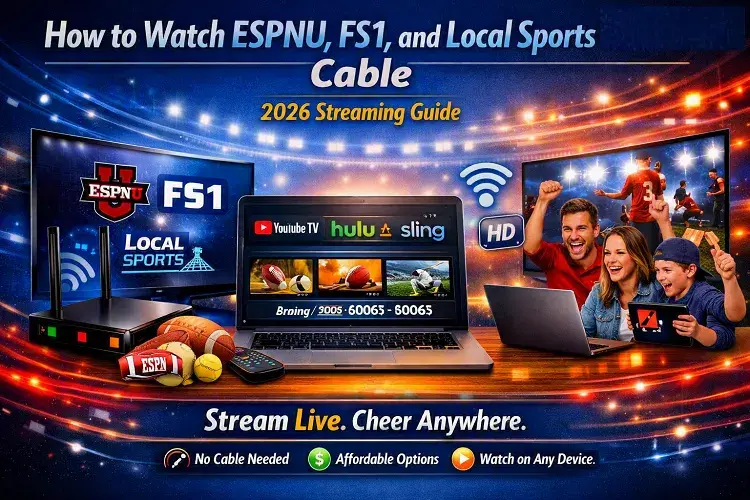
To watch ESPNU, FS1, and your local sports networks in 2026 without a traditional cable subscription, you need a live TV streaming service like YouTube TV, Hulu + Live TV, or DIRECTV Stream. These platforms broadcast over your home internet connection and carry the same sports channels as cable, usually for a fraction of the cost. You can also use an HD Over-The-Air (OTA) antenna to watch local broadcast sports on CBS, NBC, FOX, and ABC completely free.
As a massive college football and MLB fan, I finally reached my breaking point last year when my traditional cable bill quietly crept up to $165 a month. Hidden “Broadcast TV” fees and regional sports surcharges were bleeding me dry. I decided it was time to cut the cord, but I had one strict rule: I could not lose access to ESPNU, FS1, or my local home teams.
Over the past few months, I have personally tested every major streaming platform on the market to see which ones actually deliver a flawless, buffer-free sports experience. I quickly learned that cutting the cord in 2026 is incredibly easy, provided you have a fast, reliable home internet connection to handle the heavy bandwidth of live sports streaming.
If you are ready to ditch your cable box, here is my first-hand, step-by-step guide to streaming your favorite sports networks.
Step 1: You Must Secure Your Internet Foundation First
Before we talk about streaming apps, we need to address the elephant in the room: You cannot cut the cord if your home internet is slow or drops out during the 4th quarter.
When you switch from traditional cable TV to a streaming service, all of your live sports data is pushed through your Wi-Fi router. If you are watching a live game on FS1 in the living room while someone else in the house is streaming Netflix, a weak internet connection will cause the game to buffer, lag, or completely drop quality.
My recommendation: You need an internet plan with download speeds of at least 300 Mbps, ideally on a Fiber-optic network (like AT&T Fiber, Frontier, or Quantum Fiber) which provides ultra-low latency.
(Not sure if your home internet can handle live sports streaming? Don’t guess. Call our Compare Internet Hub dispatch center at (844) 578-3067. Our broadband experts will instantly run your address and tell you if your home qualifies for a faster, cheaper Fiber or Cable upgrade before you cut the cord.
📺 Step 2: Choose the Best Streaming App for ESPNU and FS1
Once your internet is locked in, you need to subscribe to a Live TV Streaming service. These apps work exactly like cable—they have a live guide, you can flip through channels, and they even have cloud DVRs to record games. You simply download the app on your Smart TV, Roku, or Apple TV.
Here are the services I tested that carry the channels you need:
1. YouTube TV (My Top Pick for Sports Fans)
Base Price: $72.99 / month
Sports Included: FS1, FS2, ESPN, ESPN2, ESPNU, SEC Network, ACC Network, Big Ten Network, NFL Network.
My Experience: I spent two months using YouTube TV as my primary sports engine, and it is hands-down the best overall product. The interface is incredibly fast, and their “Key Plays” feature lets you catch up on a game if you tune in late. It includes both FS1 and ESPNU in its standard base package, meaning you don’t have to pay extra for a “Sports Add-on.” It also carries your local CBS, NBC, FOX, and ABC affiliates.
2. Hulu + Live TV (Best Value for Disney/ESPN Fans)
Base Price: $76.99 / month
Sports Included: FS1, ESPN, ESPN2, ESPNU, SEC Network, Big Ten Network.
My Experience: Hulu + Live TV is slightly more expensive, but it comes with a massive hidden perk: The Disney Bundle is included for free. This means you get full access to ESPN+, Hulu’s on-demand library, and Disney+. If your favorite college team occasionally plays exclusive games on the ESPN+ app, Hulu + Live TV is the most cost-effective way to get ESPNU, FS1, and ESPN+ all under one roof.
3. Sling TV (The Budget Option)
Base Price: $40 / month (plus an extra $11 for the Sports Extra add-on).
My Experience: Sling TV is confusing, but it is cheap. Sling splits its channels into two packages: “Sling Orange” (which has ESPN) and “Sling Blue” (which has FS1). If you want both, you have to buy the “Orange + Blue” package for $55/mo. However, to get ESPNU, you must also buy the “Sports Extra” add-on for another $11/mo. By the time you piece it all together, you are paying $66/mo. It works great, but the user interface feels a bit dated compared to YouTube TV.
🏟️ Step 3: Solving the “Local Sports” Problem (RSNs)
Getting national channels like FS1 and ESPNU is easy. The hardest part of cord-cutting in 2026 is getting your Regional Sports Networks (RSNs)—the local channels that broadcast your hometown MLB, NBA, and NHL teams.
Over the last few years, the RSN industry has undergone massive bankruptcies and restructurings (most notably the collapse of Bally Sports). Because these networks charge exorbitant fees, YouTube TV and Hulu dropped them entirely.
If you absolutely must have your local RSN to watch your hometown team 162 times a year, here is how I solve it:
The Premium Route: DIRECTV Stream
The Cost: $108.99 / month (Choice Package)
Why it works: DIRECTV Stream is the only major streaming service left that still carries almost every single local Regional Sports Network in the country. It also includes FS1 and ESPNU. It is significantly more expensive than YouTube TV, but it is still cheaper than a traditional cable box with hardware fees.
The Direct-to-Consumer Apps
Instead of forcing everyone to buy cable, many local sports networks now allow you to buy their channel directly via an app. For example, if you live in a market formerly controlled by Bally Sports (now FanDuel Sports Network), you can simply download their app and pay roughly $19.99/month directly to the network just for your local team’s games.
The “Over-The-Air” Antenna (Completely Free)
Do not underestimate the power of a $30 digital antenna from Amazon! I plugged a flat HD antenna into my living room TV, stuck it to the window, and I now get crystal-clear, uncompressed 4K broadcasts of my local CBS, NBC, FOX, and ABC stations. This is how I watch the NFL every Sunday and major college football games on Saturdays, completely free for life.
🥇 The Final Verdict: My 2026 Cord-Cutting Setup
After months of testing, I settled on a hybrid setup that gives me more sports than I ever had with cable, while saving me over $600 a year.
My Setup:
Internet: I upgraded to a symmetrical 1-Gigabit Fiber connection to guarantee zero buffering during live events.
National Sports: I subscribed to YouTube TV ($72.99/mo) to cover all my ESPNU, FS1, ESPN, and major network needs.
Local Broadcasts: I use a $30 one-time purchase HD Antenna to pull in local network games with zero delay.
The days of being chained to a massive cable conglomerate are over. As long as you have a strong internet connection, the transition is seamless.
Don’t let a weak Wi-Fi router ruin the big game. Before you cancel your cable, make sure your internet is up to the task. Call our Compare Internet Hub specialists at (844) 578-3067. They will check your street address against our database of 2026 infrastructure upgrades to see if you qualify for a faster, cheaper Fiber or Cable plan in your city!
Updated on: September 20, 2026