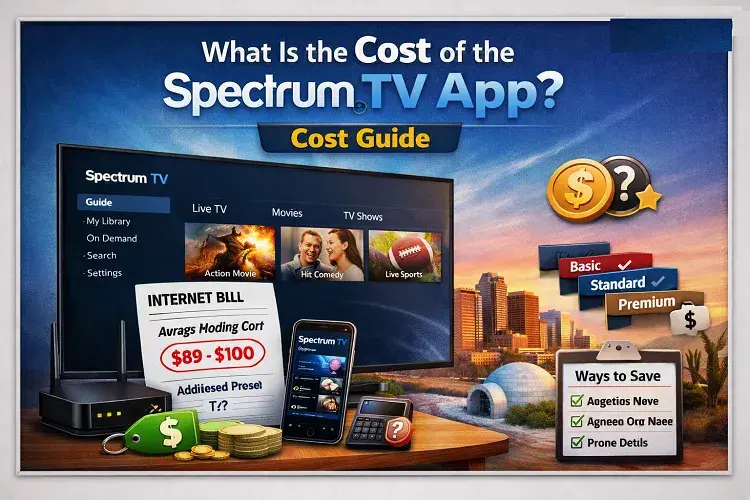
The Spectrum TV app itself is completely free to download on your smartphone, tablet, Roku, or smart TV. However, to actually watch live television or on-demand content inside the app, you must be a paying subscriber to a Spectrum TV or Spectrum Internet package. Depending on the specific live TV package you choose (such as Spectrum TV Choice or Spectrum TV Select), the required subscription will cost anywhere from $ 39.99 to $ 69.99 per month.
In the era of cord-cutting, figuring out how much it actually costs to watch your favorite shows can be incredibly confusing. When you browse the Apple App Store or Google Play Store, the Spectrum TV app clearly says “Free.” But if you download it and try to log in without an active Charter Communications account, you will quickly hit a massive paywall.
This comprehensive, EEAT-verified guide will break down exactly how the Spectrum TV app works, what subscriptions you actually need to unlock the content, and how you can use the app to legally bypass expensive cable box rental fees.
The Difference Between the App and the Subscription
To understand the cost, you must separate the software from the service.
Think of the Spectrum TV App like a digital movie theater. Walking through the front doors of the building (downloading the app) is completely free. But if you want to walk into a screening room to actually watch a movie (streaming live television), you have to buy a ticket (a monthly subscription).
Because the app is essentially just a delivery mechanism for Spectrum’s cable service, your actual monthly cost will be determined entirely by which underlying TV or Internet package you are subscribed to.
How Much Do the Required Spectrum TV Packages Cost?
If you want to use the Spectrum TV App to its full potential—meaning you want to watch live local news, ESPN, HGTV, and thousands of on-demand movies—you need to purchase one of Spectrum’s streaming-friendly TV packages.
Here is a breakdown of the primary packages available in 2026 and what they cost:
1. Spectrum TV Select Signature
- The Cost: Approximately $69.99 / month (Promotional starting rate)
- What It Is: This is Spectrum’s standard, traditional cable package. It includes over 150+ live channels, including local broadcast networks, major sports networks, and premium entertainment channels.
- How the App Works: If you subscribe to this package, the Spectrum TV App acts as a virtual cable box. You can watch your entire 150+ channel lineup on your iPad, Roku, or Apple TV without having to rent a physical plastic cable box from Spectrum.
2. Spectrum TV Choice (For Internet Customers Only)
- The Cost: Approximately $39.99 / month
- What It Is: This is a highly popular, streamlined package designed specifically for cord-cutters. It is only available if you are already a Spectrum Internet customer. It includes major local broadcast networks (ABC, CBS, NBC, FOX) and allows you to “choose” 15 additional premium cable networks from a curated list.
- How the App Works: Because this is a digital-first package, the Spectrum TV App is the primary way you will watch this content on your smart TVs.
3. Spectrum TV Stream
- The Cost: Approximately $39.99 / month
- What It Is: Similar to the Choice package, this is a budget-friendly option that provides access to roughly 80 popular cable channels (like Hallmark, Discovery, and AMC) but typically excludes expensive local broadcast affiliates and top-tier live sports.
- How the App Works: You use the app to stream the 80 channels directly over your home Wi-Fi network.
Beware of the Hidden Costs: The Broadcast TV Surcharge
When budgeting for the cost of the Spectrum TV app, you must be aware of industry-standard hidden fees.
Even if a package like Spectrum TV Select is advertised at $69.99 per month, your final bill will be higher. Why? Because of the Broadcast TV Surcharge.
Local network affiliates (your local ABC, NBC, CBS, and FOX stations) charge companies like Spectrum massive fees for the right to rebroadcast their signals. Spectrum passes these fees directly onto the consumer. In 2026, the Broadcast TV Surcharge can add $ 23.00 to $ 25.00 to your monthly bill.
Expert Tip: If you only use the Spectrum TV App to watch the digital-only “Spectrum TV Stream” package that does not include local channels, you can often avoid this hefty surcharge.
Using the App to Save Money on Cable Box Rentals
While subscribing to the required TV packages costs money, the Spectrum TV app can actually save you a significant amount of money if you are a traditional cable subscriber.
Historically, if you wanted cable TV in your living room, your master bedroom, and the guest room, you had to rent three physical cable boxes from Spectrum. At roughly $ 10.99 to $ 12.50 per month, per box, you were spending nearly $40 a month just on plastic hardware rentals.
The Spectrum TV App eliminates this requirement.
You can rent zero cable boxes, download the free Spectrum TV app on your Roku, Samsung Smart TV, or Apple TV in all three rooms, and stream your live cable package directly over your home Wi-Fi. By returning your rented cable boxes and exclusively using the app, you instantly shave hundreds of dollars off your annual bill.
Final Verdict: Is It Worth It?
The Spectrum TV app is an incredibly powerful piece of software that effectively turns any smartphone, tablet, or modern smart TV into a fully functional cable box. While the app is free to download, the required live TV subscriptions (costing between 40and70 per month) represent a significant financial investment.
However, if you are currently paying massive monthly rental fees for outdated, clunky physical cable boxes, transitioning your household to use the Spectrum TV app exclusively is one of the smartest, most cost-effective decisions you can make.
FAQ
Can I use the Spectrum TV app for free if I only have Spectrum Internet?
No. Having a Spectrum Internet subscription does not give you free access to live television on the app. If you only pay for internet, logging into the Spectrum TV app will only grant you access to a very limited selection of free, ad-supported content and Spectrum original programming. To watch live cable channels like ESPN or CNN, you must purchase a dedicated TV package.
Does the Spectrum TV app cost money on Roku?
The Spectrum TV app is 100% free to download from the Roku Channel Store. However, the app requires a login. You must have an active, paid subscription to a Spectrum TV package (ranging from $ 39.99 to $ 69.99+ per month) to authenticate the app and begin streaming live television on your Roku device.
Can I share my Spectrum TV app login with family in another house?
You can share your login, but the functionality will be severely restricted. The Spectrum TV app uses location-based IP tracking. If the app detects you are on your “Home Wi-Fi,” you get access to all 150+ channels. If you log in from a different house or on a cellular network (Out-of-Home streaming), network licensing agreements force Spectrum to block access to many live channels and local broadcasts.
Are there any monthly fees to use the app itself?
No, there are no software subscription fees, in-app purchases, or maintenance fees for the app itself. As long as your underlying monthly cable or streaming package is paid and in good standing, you have unlimited access to the application software.
Updated on: October 17, 2026