It is one of the most frustrating experiences in the modern world.
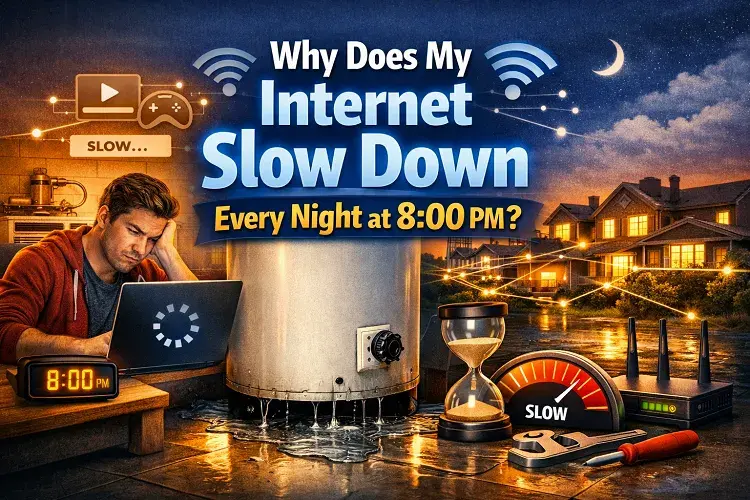
During the day, your home Wi-Fi works perfectly. You can work from home, take Zoom calls, and browse the web without a single stutter. But the moment the clock strikes 8:00 PM, everything falls apart. Netflix begins to buffer, your PlayStation lags out of the server, and web pages take 10 seconds to load.
You pay for high-speed internet, so why does it feel like dial-up the moment the sun goes down?
You are not crazy, and your router is likely not broken. You are experiencing a physical infrastructure bottleneck known in the telecommunications industry as Network Congestion.
Here is the complete engineering breakdown of why your internet chokes at night, and the only permanent way to fix it.
Tired of buffering? Call our 24/7 Dispatch Center to see if your home is eligible for a congestion-free Fiber-Optic upgrade: 📞 (888)217-6472
The Root Cause: Cable Internet “Node Sharing”
To understand why your internet dies at night, you have to understand how the wires under your street actually work.
If you are using a standard Cable Internet provider (like Spectrum, Xfinity, or Cox), your internet is being delivered through a copper Coaxial Cable.
Cable internet relies on a shared infrastructure architecture. Your internet provider runs a massive, high-capacity line into a central “Node” in your neighborhood. From that single node, they split the copper wire dozens (or hundreds) of times to connect to every single house on your street.
This means you are sharing the same bandwidth pipe with all of your neighbors.
The 8:00 PM Curse
During the day (when kids are at school and adults are at the office), the neighborhood node is mostly empty. There is plenty of bandwidth to go around, so your speeds are incredibly fast.
But at 8:00 PM, a massive digital traffic jam occurs.
- Every TV on your street turns on to stream 4K Netflix.
- Every teenager logs onto Xbox Live and PlayStation Network.
- Everyone connects their smartphones to the neighborhood Wi-Fi.
Suddenly, hundreds of devices are trying to pull massive amounts of data through the same copper pipe in your neighborhood node. The copper wire literally runs out of capacity. To keep the network from completely crashing, your internet provider is forced to throttle (slow down) everyone’s speed until the traffic jam clears out around midnight.
Temporary Fixes for Network Congestion
If you are locked into a contract with a cable provider, there are a few Band-Aid solutions you can try to slightly improve your nighttime speeds:
- Use Ethernet, Not Wi-Fi: Nighttime congestion also happens in the air. If all your neighbors are blasting Wi-Fi signals in their homes, the wireless channels become crowded (known as Wi-Fi Interference). Plugging your PC or gaming console directly into your router with an Ethernet cable bypasses this airborne congestion entirely.
- Upgrade your Router (QoS): If you buy a high-end gaming router, you can enable a setting called QoS (Quality of Service). This allows you to prioritize specific devices. For example, you can tell the router to give 80% of your bandwidth to your Smart TV at 8:00 PM, forcing your kids’ iPads to absorb the lag instead of your movie.
- Change Your DNS Server: Sometimes, the server your ISP uses to route traffic gets congested. Changing your router’s DNS settings to Google (8.8.8.8) or Cloudflare (1.1.1.1) can slightly speed up how fast web pages load.
The Only Permanent Fix: Upgrade to Pure Fiber (FTTH)
While Ethernet and QoS can help, they cannot fix the physical limits of the copper wire buried under your street. If the neighborhood node is choked, you will lag.
The only permanent, physical cure for network congestion is to abandon shared copper cables and upgrade to Fiber-to-the-Home (FTTH).
If you switch to a pure Fiber-Optic provider (like Frontier or AT&T Fiber), they run a dedicated glass strand directly into your house.
- Fiber uses light to transmit data, meaning its capacity is virtually unlimited.
- You are no longer sharing a choked copper node with your neighbors.
- Whether it is 2:00 PM or 8:00 PM, your speeds will remain perfectly symmetrical and completely unaffected by what your neighbors are doing.
Stop sharing your bandwidth with your neighbors. Call our 24/7 Dispatch Center to instantly check if Frontier’s pure Fiber-Optic network is available at your exact street address:
📞 To Check Fiber Availability: Dial (888)217-6472
More ISP Troubleshooting Guides
Fix Connection Errors: Is your network suddenly dropping? Find out exactly Why Your Internet Slows Down at Night, or troubleshoot hardware failures with our guide to fixing an AT&T Router Blinking Red.
Manage Your ISP Account: Do not get hit with hidden fees. Learn how to avoid the Cox Data Cap, and if you are switching providers, make sure you read our Ultimate Verizon Fios Equipment Return Guide to avoid massive unreturned equipment charges.
Updated on: August 1, 2026