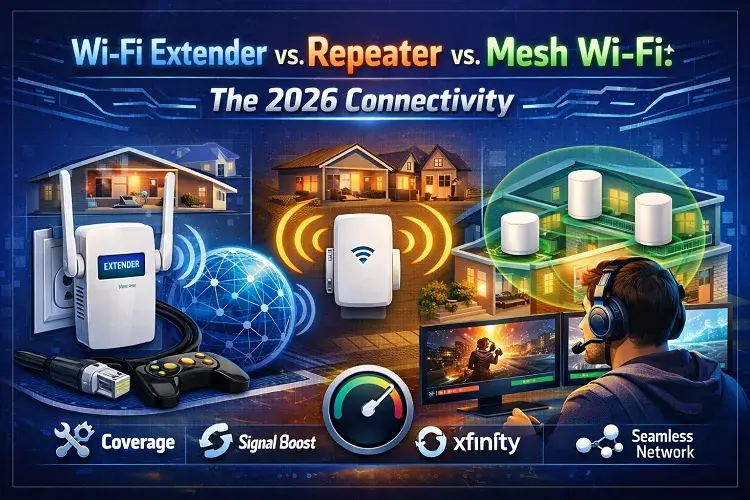
To eliminate internet dead zones in 2026, you have three distinct hardware choices. A Wi-Fi Repeater connects to your existing router wirelessly and rebroadcasts the signal, but typically cuts your bandwidth in half. A Wi-Fi Extender connects to your router via a hardwired cable (Ethernet or MoCA) to broadcast a brand-new, full-speed Wi-Fi hotspot. A Mesh Wi-Fi System entirely replaces your traditional router with a series of interconnected “nodes” that communicate on dedicated wireless backhaul channels, creating a single, seamless, high-capacity network that blankets homes over 2,500 square feet without speed loss.
Building a High-Performance Network: Beyond the Standard Router
As U.S. households upgrade to gigabit fiber and 5G home internet, the standard ISP-provided gateway is rarely sufficient to cover an entire property. Walls, appliances, and distance degrade signals, leading to buffering on YouTube TV and lag during remote work.
To solve this, consumers often buy the wrong hardware, mistaking legacy repeaters for modern extenders. This transactional guide breaks down exactly what each device does, how much speed you will lose, and which solution you should invest in based on your home’s footprint.
1. Wi-Fi Repeaters: The Legacy Quick Fix
A Wi-Fi Repeater is a first-generation plug-in device that contains two wireless routers. One connects to your existing Wi-Fi network, and the other transmits the copied signal further into your home.
How it Works & The “Half-Duplex” Problem: Repeaters are completely wireless. Because they use the same radio frequency to receive the signal from your router and transmit it to your laptop, they operate in “half-duplex” mode. This means they cannot send and receive data at the same time. Consequently, a repeater will automatically reduce your internet speed by at least 50%. If your router pushes 300 Mbps, the repeater will output a maximum of 150 Mbps.
Pros:
-
Highly Affordable: Typically costs under $30.
-
Plug-and-Play: Plugs directly into any standard wall outlet with minimal setup.
Cons:
-
Massive Speed Loss: Cuts available bandwidth in half immediately.
-
Network Switching: Creates a separate network name (SSID), meaning you have to manually switch your phone from “Home_WiFi” to “Home_WiFi_EXT” as you walk through the house.
Best For: Small apartments or providing a basic signal to a low-bandwidth device (like a smart garage door opener) where speed is not a priority.
2. Wi-Fi Extenders: The Wired Booster
A Wi-Fi Extender (or Wireless Access Point) is a device that connects directly to your main router via a physical cable—such as Ethernet, MoCA (coaxial), or Powerline—to broadcast a fresh, uncompromised Wi-Fi signal in a new location.
How it Works: Because the extender communicates with your main router through a physical wire, it does not rely on a wireless radio to receive the internet. This bypasses the half-duplex speed reduction. An extender takes the full capacity of your wired internet and converts it into a fresh Wi-Fi hotspot.
Pros:
-
Zero Speed Loss: Delivers the same bandwidth as your main router.
-
High Capacity: Excellent for handling 4K streaming and low-latency gaming.
Cons:
-
Installation Friction: Requires running an Ethernet cable through walls or ceilings, which is impossible for many renters.
-
Network Fragmentation: Like a repeater, it often requires a separate network name, lacking seamless device handoff.
Best For: Gamers, detached garages, or finished basements where a physical cable can be run to guarantee zero latency and maximum throughput.
3. Mesh Wi-Fi Systems: The 2026 Standard
A Mesh Wi-Fi network is a comprehensive system consisting of a main router that connects directly to your modem, paired with multiple satellite “nodes” placed around the house. Together, they form a single, intelligent, unified Wi-Fi web.
How it Works: Unlike repeaters and extenders, Mesh systems (like Eero, Google Nest, or Netgear Orbi) completely replace your old router. Modern 2026 Mesh systems utilize Tri-Band or Quad-Band technology. They dedicate a hidden, private 5GHz or 6GHz wireless channel (the “backhaul”) exclusively for the nodes to talk to each other. This leaves the other bands completely open for your devices, providing gigabit-speed wireless internet with zero drop-offs.
Pros:
-
Seamless Roaming: Only one network name (SSID). Your devices automatically switch to the closest node without dropping a Zoom call or stream.
-
No Speed Degradation: Dedicated backhaul channels ensure full-speed delivery to every corner of the house.
-
Scalability: If you have a dead zone, simply plug another node into a wall outlet.
Cons:
-
Higher Cost: Quality Mesh systems range from $150 to over $500.
-
Overkill for Small Spaces: Unnecessary for homes under 1,500 square feet.
Best For: Homes over 2,500 square feet, multi-story houses, and tech-heavy families with dozens of smart home devices running concurrently.
Compare Wi-Fi Extender vs. Repeater vs. Mesh Wi-Fi
Use this direct comparison to select the right hardware upgrade for your current internet plan.
| Feature | Wi-Fi Repeater | Wi-Fi Extender (Wired) | Mesh Wi-Fi System |
| Bandwidth Retention | 50% Loss | 100% Full Speed | 90–100% Full Speed |
| Installation | Easy (Wireless) | Hard (Requires Cable) | Easy (App-Based) |
| Network Name (SSID) | Creates a 2nd Network | Creates a 2nd Network | Single Unified Network |
| Average Cost (2026) | $20 – $40 | $50 – $100 | $150 – $500+ |
| Ideal Home Size | Under 1,500 sq. ft. | Specific Rooms/Garages | 2,500+ sq. ft. |
Frequently Asked Questions (FAQ) about Wi-Fi Extender vs Repeater vs Mesh
1. Will a Wi-Fi Extender increase my internet speed?
No device can increase your internet speed beyond the plan you pay for from your Internet Service Provider. However, an extender or Mesh system will increase your local speed by bringing a stronger signal closer to your device, eliminating the buffering caused by weak connectivity.
2. Can I use a Mesh Wi-Fi system with my current ISP router?
Yes, but you must configure your ISP’s combined modem/router (gateway) into “Bridge Mode” to disable its internal Wi-Fi. This prevents signal interference and allows the Mesh system to take over all routing duties.
3. Is a Repeater better than an Extender for a rented apartment?
Yes, a Repeater (or a basic Mesh system) is better for renters because it is entirely wireless. An Extender requires running physical Ethernet cables through walls, which most landlords do not permit.
4. Why does my Wi-Fi drop when I walk to the other side of the house?
If you are using a Repeater or an Extender, your smartphone is clinging to the weak signal of the original router instead of jumping to the closer extender. Upgrading to a Mesh Wi-Fi system solves this by using “Seamless Roaming” (802.11k/v/r standards) to automatically force your phone to the strongest node.
Resources
7 Undeniable Signs You Need a New Wi-Fi Router
More Home Networking & Hardware Guides
Upgrade Your Equipment: Are you still renting an outdated modem from your ISP? Learn the crucial differences between DOCSIS 3.0 and 3.1 in our Modem Guide to ensure you are getting the speeds you pay for.
Eliminate Dead Zones: If your WiFi drops in the bedroom or garage, read our breakdown of WiFi Extenders vs. Repeaters vs. Mesh Systems. If you are a Verizon customer, check out our top picks for the Best WiFi Extender for Verizon Fios.
Updated on: August 1, 2026