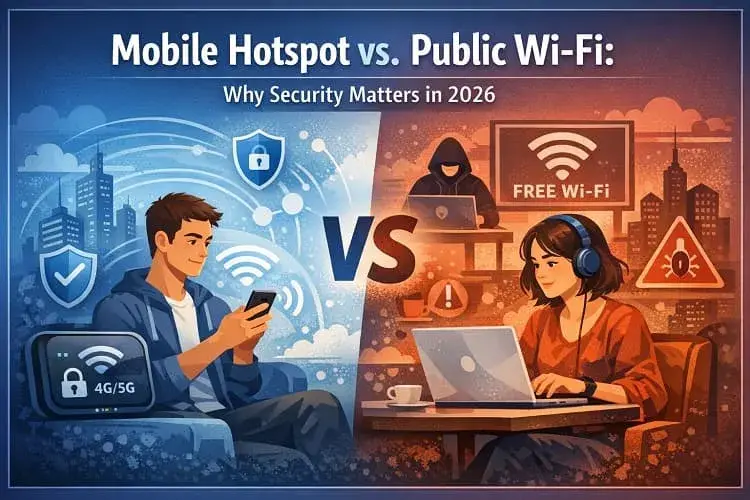
Yes, a mobile hotspot is significantly safer than hotel or public Wi-Fi. Hotspots provide a private, encrypted connection (using WPA3 standards) that prevents strangers on the same network from intercepting your data. Public Wi-Fi is often unencrypted, leaving you vulnerable to “Man-in-the-Middle” attacks and “Evil Twin” hotspots designed to steal passwords.
In 2026, staying connected while traveling isn’t just a luxury—it’s a requirement. Whether you’re a digital nomad working from a café in Miami or a business traveler catching a flight in Atlanta, you are constantly faced with a choice: Should you use the “Free Guest Wi-Fi” or fire up your own mobile hotspot?
While free Wi-Fi is tempting, the hidden costs to your data security can be massive. At Compare Internet Hub, we’ve analyzed the latest security protocols to show you why your personal hotspot is almost always the superior choice for both safety and speed.
The Invisible Dangers of Public Wi-Fi in 2026
Public Wi-Fi networks in airports, hotels, and coffee shops are “open” by design. This convenience is exactly what cybercriminals exploit. Here are the primary risks you face when clicking “Connect” on a public network:
1. Man-in-the-Middle (MitM) Attacks
In a MitM attack, a hacker positions themselves between your device and the Wi-Fi router. Because the network is public, they can “sniff” the data packets traveling through the air. In 2026, even with improved browser security, sophisticated attackers use “SSL Stripping” to downgrade your secure connection to an unencrypted one, allowing them to see your login credentials in plain text.
2. The “Evil Twin” Hotspot
Have you ever seen two networks named “Airport_Free_WiFi”? One is legitimate; the other is a trap. Hackers set up rogue hotspots with familiar names. Once you connect, every bit of data you send—from work emails to bank logins—passes directly through the hacker’s device.
3. Packet Sniffing on Unencrypted Networks
Many public networks still lack basic encryption. This means anyone else on that same Starbucks or Hilton Wi-Fi can use simple, free software to see exactly what websites you are visiting and, in some cases, hijack your active sessions.
Why Your Mobile Hotspot is a “Fort Knox” in Your Pocket
When you use the hotspot feature on your phone or a dedicated 5G device, you aren’t just getting internet; you’re getting a private security perimeter.
WPA3 Encryption: The New Gold Standard
By 2026, most 5G smartphones and dedicated hotspots will use WPA3 (Wi-Fi Protected Access 3). Unlike the older WPA2 found on many public routers, WPA3 features “Individualized Data Encryption.” Even if someone is nearby, they cannot decrypt your specific data stream.
Total Connection Control
On public Wi-Fi, you are sharing a “room” with 50 strangers. With a mobile hotspot, you are the gatekeeper. Most 2026 hotspots allow you to:
-
Hide your SSID: Make your network invisible to others.
-
Set Device Limits: Ensure only your laptop and phone are allowed.
-
Monitor Traffic: See in real-time if an unauthorized device is trying to connect.
Reliable 5G Speeds vs. Congested Hotel Lines
Beyond security, there is the “frustration factor.” Hotel Wi-Fi is notorious for slowing down at 7:00 PM when everyone starts streaming. A 5G mobile hotspot in 2026 consistently delivers dedicated speeds that aren’t slowed down by the guest in the room next door.
Comparison: Hotspot vs. Public Wi-Fi
More Mobile & Portable WiFi Guides
Internet on the Go: If you are traveling or working remotely, learn what a Mobile Hotspot is and why you should always choose a Mobile Hotspot over Public WiFi for security reasons.
Ditch the Cable Company: Tired of traditional broadband? Read our strategy guide on using a Mobile Hotspot to Replace Your Home Internet entirely.
Updated on: August 1, 2026