To choose the best internet provider for your home, first verify which companies service your exact address. Next, prioritize Fiber-optic connections for the best reliability, select a speed tier based on your household size (300–500 Mbps is ideal for families), and carefully read the “Broadband Nutrition Label” to avoid hidden equipment fees and data caps.
Choosing an internet provider in 2026 is much more complicated than simply picking the company with the lowest advertised price. With the rapid expansion of 5G home internet, multi-gigabit fiber networks, and the FCC’s new “Broadband Nutrition Labels,” consumers have more options—and more data—than ever before.
If you are moving to a new home or are simply tired of your current Wi-Fi constantly buffering, use this comprehensive step-by-step guide to secure the fastest, most reliable connection for your budget.
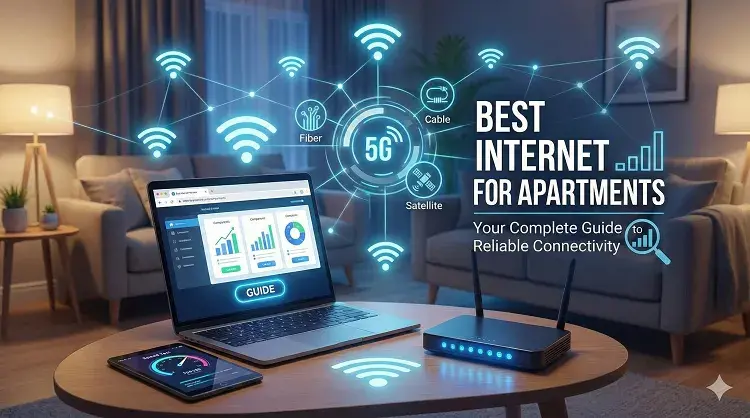
Step 1: Understand the 5 Types of Internet Connections
The single biggest factor affecting your internet performance is the technology delivering it to your house. Always prioritize wired connections (Fiber or Cable) over wireless options if they are available.
| Technology | 2026 Max Speeds | Reliability | Best For… |
|---|---|---|---|
| Fiber-Optic | Up to 10 Gbps | ⭐⭐⭐⭐⭐ | Remote workers, gamers, and large smart homes. |
| Cable (Coaxial) | Up to 2 Gbps | ⭐⭐⭐⭐ | General family use, 4K streaming, cord-cutters. |
| 5G Home Internet | Up to 500 Mbps | ⭐⭐⭐ | Renters, budget-conscious users, simple setups. |
| Satellite | Up to 250 Mbps | ⭐⭐ | Rural homes, off-grid living, RVs. |
| DSL | Up to 100 Mbps | ⭐ | Only if absolutely no other option exists. |
- Fiber-Optic: The gold standard. Offers symmetrical speeds (upload and download are equally fast). Best for gamers, content creators, and remote workers.
- Cable: Extremely common and reliable. Offers fast downloads (up to 1,200 Mbps) but slower uploads. Perfect for high-quality streaming.
- 5G Home Internet: A newer wireless alternative. No wires needed, very easy to set up, and flat-rate pricing. Great for renters.
- DSL: Delivered over old telephone lines. Typically slower (under 100 Mbps) but available in areas where fiber and cable aren’t wired yet.
- Satellite: The final option for rural or remote areas. High latency, but covers 100% of the US where wired internet doesn’t exist.
- The Golden Rule: If Fiber (like AT&T Fiber, Frontier, or Verizon Fios) is available at your address, it is almost always the superior choice due to its symmetrical speeds (fast uploads) and immunity to weather interference.
Step 2: Calculate How Much Speed You Actually Need
Internet providers love to upsell you to their “1 Gig” (1,000 Mbps) or “2 Gig” plans. While these speeds are incredibly fast, you likely don’t need them unless you have a dozen people in your house all streaming 4K video simultaneously.
Here is a realistic breakdown of what speeds you actually need in 2026:
- 100 Mbps (The New Minimum): Good for 1–2 people who browse social media, check email, and occasionally stream HD Netflix.
- 300–500 Mbps (The “Sweet Spot”): Ideal for a family of 3–4. It comfortably supports two people working from home on Zoom calls while the kids stream Disney+ in the other room.
- 1 Gig / 1,000 Mbps (Power Users): Designed for professional content creators, competitive gamers who download massive 100GB game updates, and homes with 20+ smart devices (security cameras, smart thermostats, etc.).
When comparing local options, you will likely see a mix of national giants and regional fiber providers. Major cable providers like Spectrum, Xfinity, and Cox offer high-speed cable packages across most states, while AT&T, Frontier, and Brightspeed are aggressively expanding ultra-fast fiber lines.
Step 3: Check for Data Caps
A “fast” plan is useless if you hit a data limit in the middle of the month. Always check the provider’s data policy before signing up.
- No Data Caps: Providers like Spectrum, AT&T Fiber, and Google Fiber offer 100% unlimited data. You can stream and download as much as you want without penalty.
- Hard Caps: Many cable providers (like Xfinity or Cox) enforce a 1.2 TB monthly data cap. If you exceed this limit, you will automatically be billed “overage fees” (usually $10 for every extra 50GB used). If you are a heavy data user, look for a provider without caps.
Step 4: Decode the Hidden Fees
The price advertised on TV is rarely the final price on your monthly statement. Thanks to the FCC’s mandated Broadband Labels (which look like food nutrition labels), it is now much easier to spot hidden fees. Watch out for these three costs:
- Equipment Rental Fees: Providers will often charge you $10 to $15 per month to “rent” their Wi-Fi router. Pro Tip: Ask if you can buy and use your own compatible router from a store like Best Buy to eliminate this fee forever.
- The Year-Two Price Hike: Be highly suspicious of extremely low prices (e.g., “$25/mo for 500 Mbps”). This is usually a 12-month promotional rate. Read the fine print to see what the “Standard Rate” is in Year 2—your bill might double.
- Early Termination Fees (ETFs): Avoid signing 1-year or 2-year contracts. Major providers like Spectrum, T-Mobile, and AT&T operate on a month-to-month basis, meaning you can cancel at any time without paying a massive penalty.
Step 5: Compare Your Local Options
Internet infrastructure is extremely localized. One side of your neighborhood might have access to Google Fiber, while the street over is stuck with legacy DSL. Because of this, you cannot rely on national rankings alone.
How to find your local providers:
- Navigate to our CompareInternetHub Search Tool.
- Enter your precise street address and zip code.
- We will scan our 2026 database and instantly generate a side-by-side comparison of every fiber, cable, and 5G provider that has wired your specific block, highlighting their actual promotional rates and hidden fees.
Frequently Asked Questions (FAQs)
1. What is a good internet speed for working from home?
For standard remote work involving email, web browsing, and video conferencing (Zoom/Teams), a connection of 100 Mbps download and 20 Mbps upload is sufficient. However, if you are downloading or uploading large files (like graphic design assets or video files), we recommend upgrading to a 300 Mbps Fiber plan for faster upload performance.
2. Is it better to get internet from my phone company?
Often, yes. In 2026, companies like Verizon, AT&T, and Xfinity offer massive “bundle discounts.” If you bundle your home internet with your cellular phone plan, you can often save $20 to $40 per month on your total telecommunications bill.
3. Should I choose 5G Home Internet or Cable?
If you want the absolute highest, most stable speeds for gaming and 4K streaming, Cable is still superior. However, if you are a renter, move frequently, or want a simple setup with no technician visits and flat-rate pricing, 5G Home Internet (from T-Mobile or Verizon) is an excellent, flexible alternative.
4. Is fiber internet better than cable?
Yes. Fiber generally offers faster download and upload speeds, better reliability, and lower latency than cable. If fiber is available at your address, it is always the best choice.
5. How much should I realistically pay for home internet?
Most households pay between $40 and $80 per month. If you are paying more than $90 for standard internet (without TV bundles), you are likely overpaying or have rolled off your initial promotional rate.
6. Do I really need unlimited data?
If your household streams movies in 4K, plays online games, or has multiple smart devices active daily, unlimited data is highly recommended to avoid overage fees (which cable companies like Xfinity charge after 1.2 TB of use).
Updated on: May 17, 2026